Thursday, 4 August 2011

a break from our regularly scheduled program... image manipulation

The following images are from a university ICT assignment on image manipulation.

I started off with a picture of a musician friend in full flight...


Thought he deserved a bigger crowd. Found an image of a crowd through google image search.
I used Gimp to cut out his outline and paste it as a layer on the crowd image. Colours and lighting did not match well so changed to greyscale and touched up a bit here and there. Overall effect was OK if you don't look too closely! Several friends were sucked in when this appeared on Facebook!


Monday, 13 June 2011

Module 5

Bubbl.us might save a bit of time over doing it via clip art or IWB printouts but it is unlikely to get much airtime in my planning.

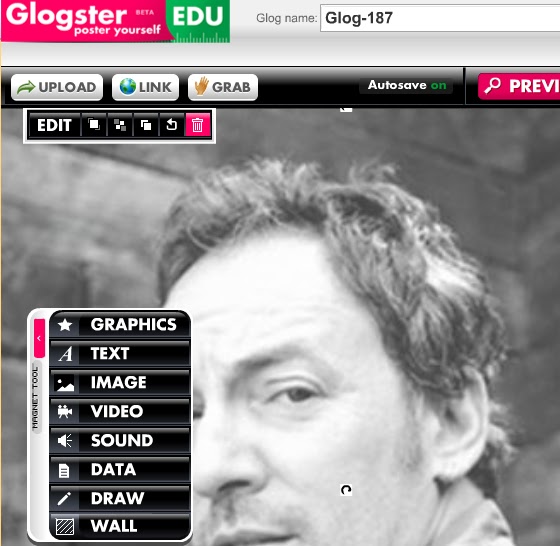
Glogster allows for a lot of creativity, but it does very little that can't be done in PowerPoint or Word, for example.


Clearly there is a bit of a Bruce Springsteen theme to this post, but I have had 'Atlantic City' stuck in my head for days so there is no way around it.

I love Prezi. There is a lot to learn but the menu and 'zebra' are easily wielded. One big gripe is the seeming inability to remove google ads from embedded youtube video. The battle I think is maximising the impact of the zooming feature. I will certainly opt for Prezi over PowerPoint in the future - but needing to work online only with the limited license could be annoying. Annoying enough to pay 60 bucks a year? Perhaps not.

Prezi presentation

Wednesday, 27 April 2011

Module 4


I have had a lot of experience with youtube, iTunes and podcasting applications and it was interesting to examine some alternative 'digital storytelling' sites on the net. These technologies are already in use in the classroom through embedding video or audio files into PowerPoint or other documents in digi-equipped classrooms. The live streaming element will be of limited use I think but I would very much like to establish 'sister classrooms' in different locations around the world where students could collaborate through streaming video on projects or give presentations to each other.

Tuesday, 26 April 2011

Module 3

Successfully negotiated google docs. Particularly impressed with the 'forms' function which I will certainly use in the future. Atomic learning seemed very clumsy; youtube was much more expedient. The google docs functions seemed weak compared to, say, the latest MS Office versions of Word and Excel but the fact that they are fluid, on-line documents is extremely useful.

I think a particularly good use of forms (and the mapping spreadsheet) would be for pre-testing. Students would be able to be more relaxed with their answers at home with their email.

Saturday, 16 April 2011

Module Two

I've managed to get my first ever blog up and running and had a look at some of the others out there so I can tick that off. What hasn't been so simple is discerning the advantages of blogging. There are no advantages relating to content (nothing here I couldn't have written in a letter or said in a phone call) so any plusses must be in the delivery. Size of audience and immediacy come to mind. I can whack this up quickly and have it read by many people in quick time - far superior to a whiteboard in that regard. That is balanced out by the inability to quickly remedy mistakes in translation (such as people taking things in a way other than intended) or to fill in gaps in understanding. I can quickly garner opinions and content from many sources but again am not afforded the ability to clarify, debunk, argue or question.

Perhaps it provides students with an alternate method of journalism which may help expression and communication but I don't know how far in front of a pen and paper it is really. This blogging still feels very much llike standing on the footpath with a megaphone to me. If you are not craving the audience then why not write things down and talk about stuff?

Module One

James Cronin here from Hennessy Catholic College in Young beginning the Web 2.0 course. First thing was finding out what Web 2.0 means. Turns out that it doesn't really mean anything, being a term described by World Wide Web founder Tim Berners-Lee as jargonistic. The term seems to refer to an aesthetic view of the web's potential as an interactive entity; comprising interactive and social content under constant and fluid construction. As Sir Tim points out, though, this was his vision for the original WWW and the loosely-defined 'Web 2.0' comprises many sites, features and objectives which are older than itself.

Then again even Howard Gardner admits the phrase "multiple intelligences" doesn't really make any sense either. That doesn't prevent his theory from having real and far-reaching practical applications. So to that end I shall ignore the arbitrary buzzword and have a good look at the web-based tools available and the educational framework through which they can be employed.